¶ Decisions
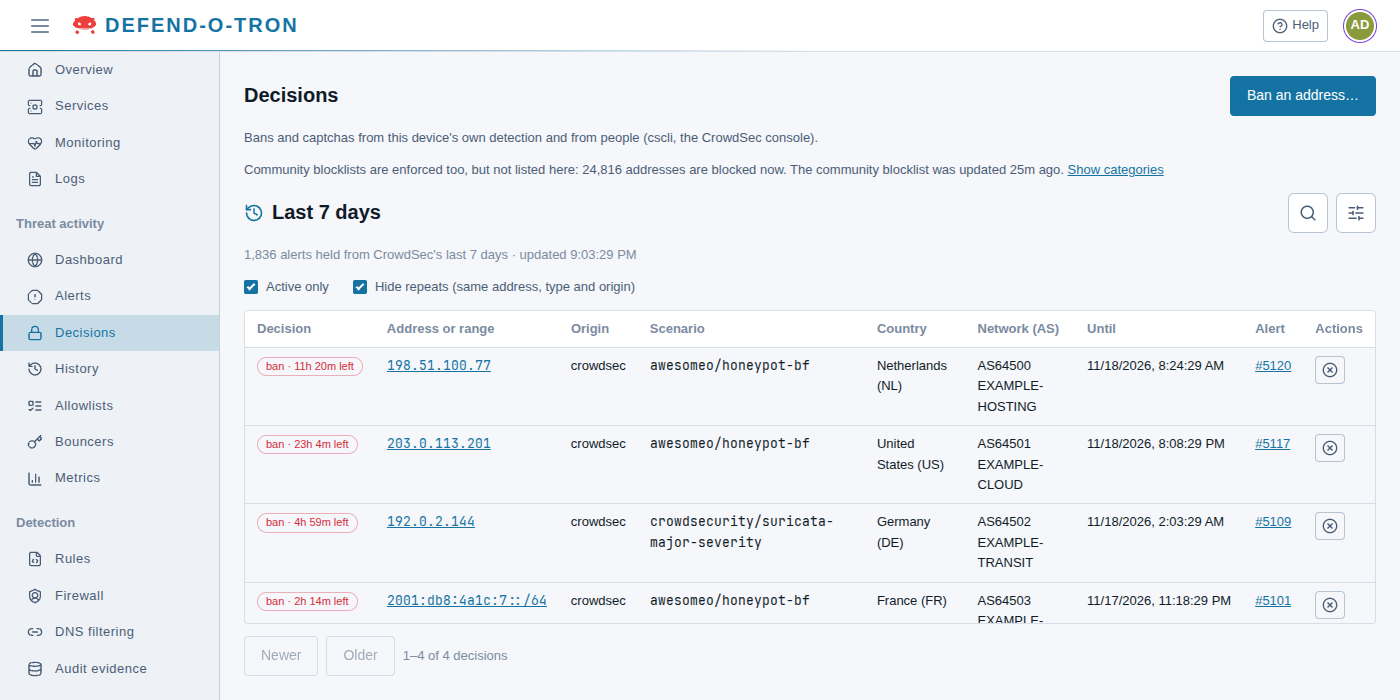
Threat activity → Decisions lists the decisions: the bans (and captchas) CrowdSec has made, and the ones people added. The Defend-O-Tron’s firewall blocks every address with an active ban.
The page lists decisions from three origins:
- crowdsec: the device’s own detection, from an alert.
- cscli: a person on the device, with Ban an address… on this page or with
cscliin the terminal. - console: a person in the CrowdSec Console, if the device is enrolled there.
Community blocklists are enforced too, but not listed here. The line at the top says how many addresses they block now, and when the community blocklist was last updated. Show categories opens the breakdown (see Community protection).
¶ The list
| Column | What it shows |
|---|---|
| Decision | The type and how long is left, for example ban · 11h 20m left |
| Address or range | What is blocked. Select it to see its alerts |
| Origin | crowdsec, cscli or console (see above) |
| Scenario | The scenario that made the decision, for one from an alert |
| Country, Network (AS) | Where the address is |
| Until | When the decision ends |
| Alert | The alert that made it. Select it to open the alert’s details |
| Actions | Unban, for administrators |
Some decisions cover a range, for example the whole /64 of an IPv6 address.
- Active only (on by default) hides decisions that have ended. Turn it off to see those too.
- Hide repeats (on by default) shows an address once, even if it has several decisions of the same type and origin.
- Search and Filters work as on the Dashboard. The page remembers your choices.
The page shows 50 decisions at a time, with Older and Newer. It updates itself while you look at the newest page. On an older page it says Decisions have changed, and Show the newest goes back to the top.
¶ Ban an address or range
Administrators can ban an address by hand, for example one that attacks a service the device has no scenario for.
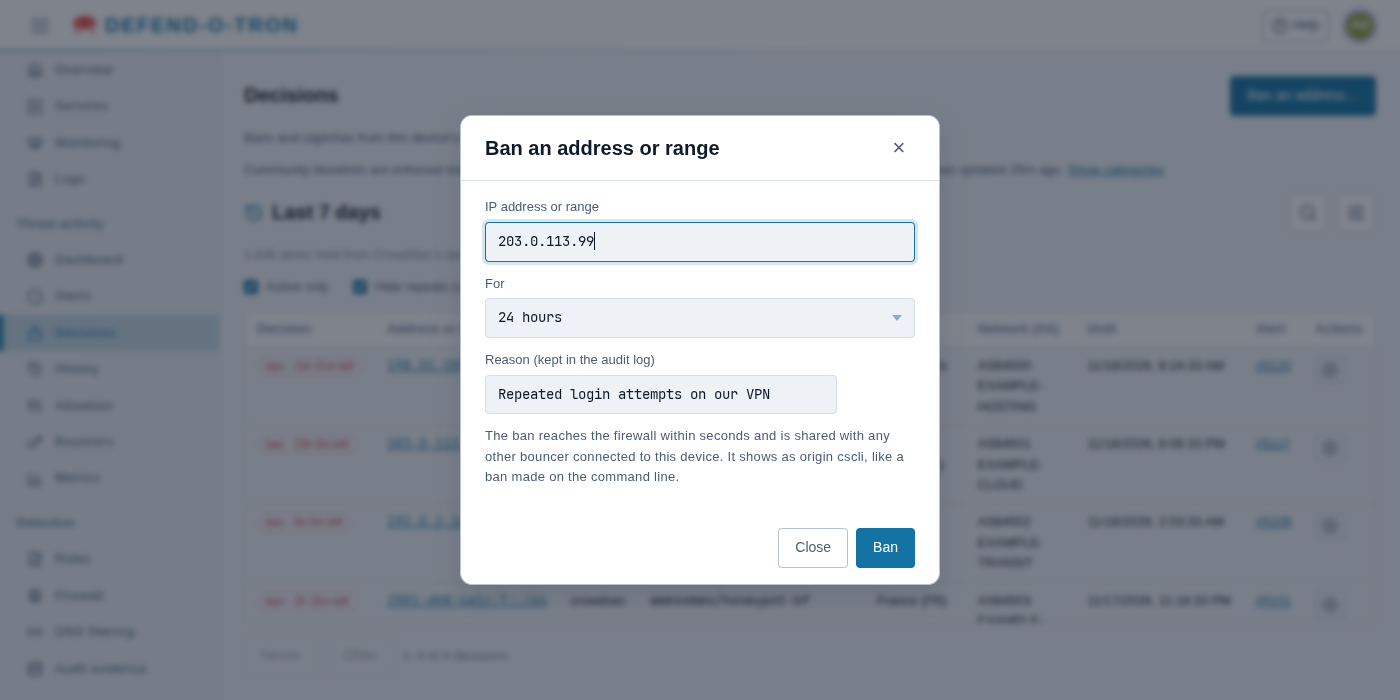
- Click Ban an address….
- In IP address or range, type an address (
203.0.113.7) or a range (198.51.100.0/24). - In For, choose how long: 1 hour, 4 hours (the default), 24 hours, 7 days, 30 days or 365 days.
- In Reason, say why. The reason is kept in the audit log.
- Click Ban.
The ban reaches the firewall within seconds, and is shared with every other bouncer connected to the device (see CrowdSec API). It is listed with origin cscli, like a ban made on the command line.
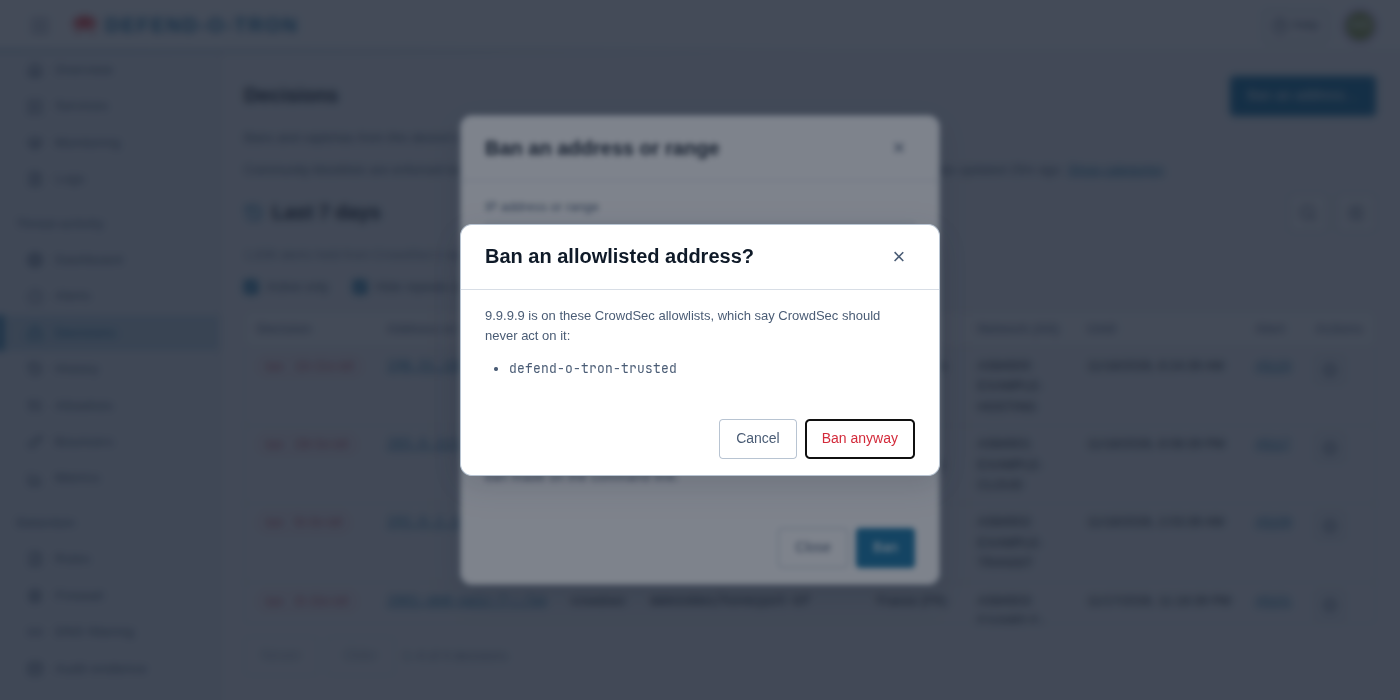
The device checks two things before it bans:
- Ban an allowlisted address? The address is on a CrowdSec allowlist, which says CrowdSec should never act on it, for example the device’s copy of your trusted addresses (
defend-o-tron-trusted). Click Ban anyway only if you are sure. See Allowlists. - This ban covers your own address. You are connected from that address or range, so the ban may cut you off from this page, and from everything else you reach through the device. To go ahead, tick that you have another way in to the device (for example the local console), then click Ban anyway.
¶ Unban
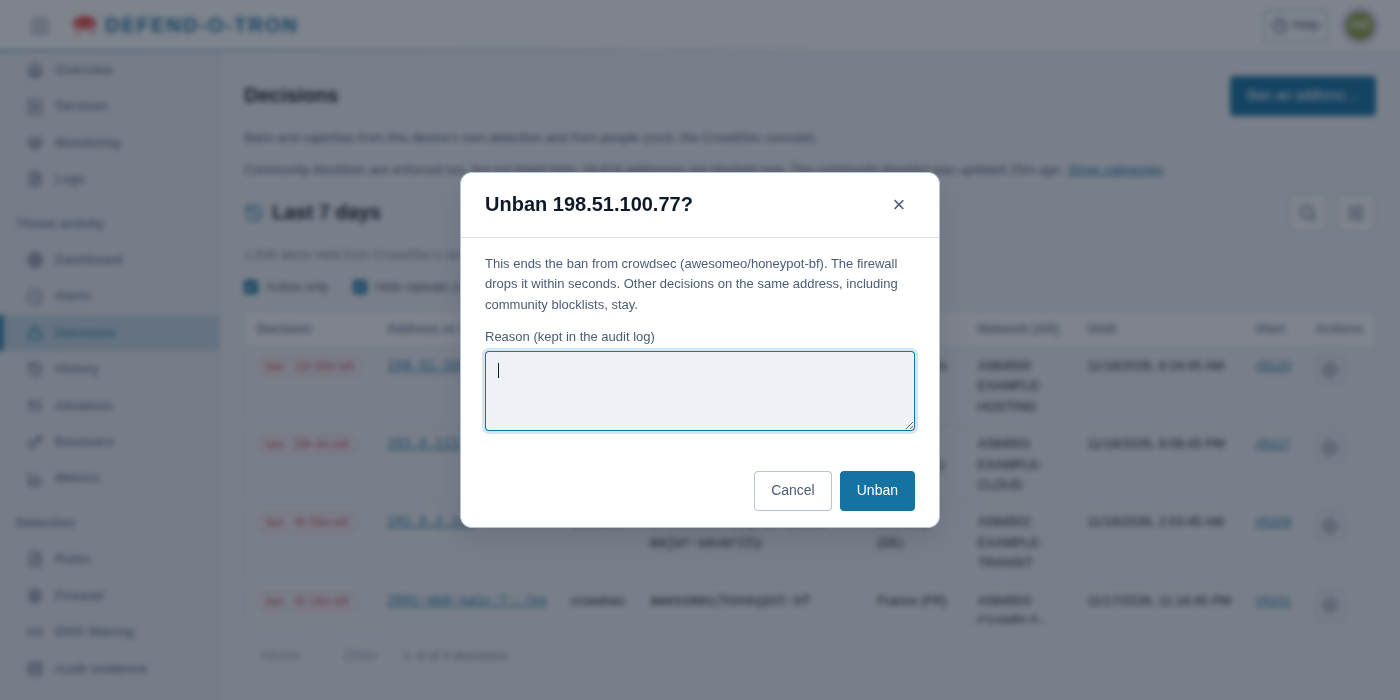
Administrators can end a ban that this device made (origin crowdsec, cscli or console):
- Click Unban (the circled ×) in the Actions column.
- Give a reason. It is kept in the audit log.
- Click Unban.
The firewall drops the ban within seconds. Other decisions on the same address stay, including community blocklists. The page then says whether anything else still blocks the address, such as another decision or an entry in Blocked addresses on the Firewall page.
Banning and unbanning need full CrowdSec access, such as the Admin role. A Viewer can see the decisions but not change them.
¶ Handling false positives
Real traffic sometimes trips a scenario. A scanner from your ISP’s network monitoring, a customer behind shared NAT, or a misconfigured legitimate service can be banned by mistake. There are four ways to handle it.
¶ 1. Add the address to the trusted list
The lasting fix when an address should never be banned. Add it to Trusted addresses on Detection → Firewall. The change applies at once, without a restart, and public addresses are copied to CrowdSec’s allowlist, so CrowdSec stops acting on them too. A trusted address never makes evidence again, whereas an unbanned one is banned again the next time its traffic trips a scenario. See Honeypot for the trusted list.
¶ 2. Unban it on this page
See Unban above. Community blocklists are not listed here, so you cannot unban those addresses on this page. Add the address to the trusted list instead.
¶ 3. Unban it in the CrowdSec Console
If the device is enrolled in a (free) CrowdSec account:
- Open app.crowdsec.net/decisions.
- Find the decision for the address.
- Click Unban.
The unban reaches the device within a couple of minutes.
¶ 4. Unban it in the terminal
Open Device → Terminal and use cscli:
sudo cscli decisions list                          # see what is banned now
sudo cscli decisions delete -i 203.0.113.7         # remove a single address
sudo cscli decisions delete -r 198.51.100.0/24     # remove a range
sudo cscli decisions delete --id 42                # remove by decision ID
Unbanning an address does not stop it being banned again: its next attack bans it again. If the same address keeps coming back, add it to the trusted list, or find out why its traffic looks like an attack.
¶ Related
- Alerts: what made each decision.
- Honeypot: the honeypot’s bans, and common situations that cause false positives.
- CrowdSec API: other systems that enforce the same bans.