¶ Firewall
Detection → Firewall holds the lists the Defend-O-Tron’s firewall uses: the addresses it always blocks or always trusts, who may manage the device, and the ports the honeypot watches. It has three tabs: Lists, Counters and Home network.
Viewers can see the page. Changing it needs full firewall access, such as the Admin role. Every save and every reload is recorded in the audit log.
¶ Lists
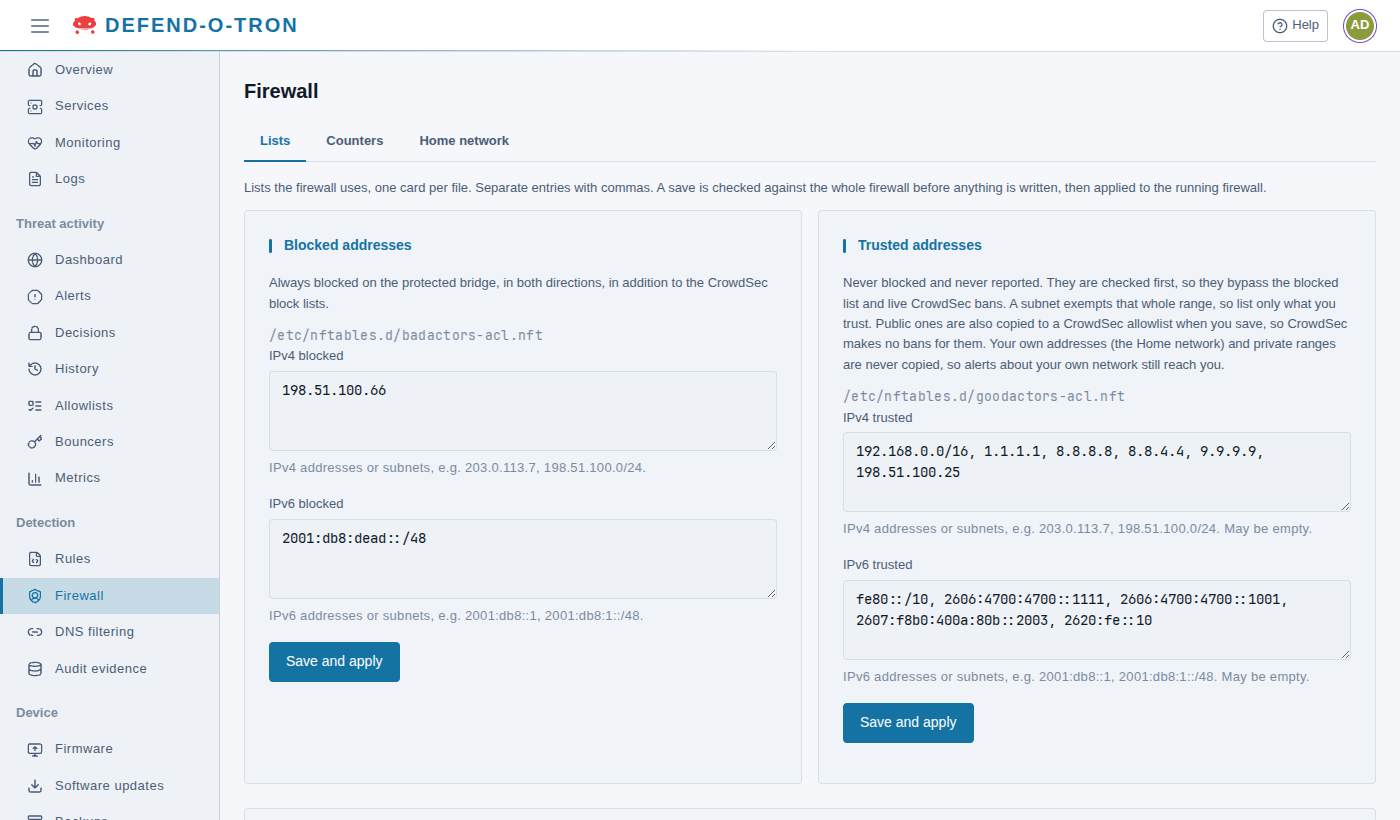
One card for each list file, with the file’s path under its title. Type the entries separated by commas, then click Save and apply on that card.
¶ How a save works
- The device checks each entry: an address or a range where an address belongs, a port, a service name or a range where a port belongs.
- It checks the whole firewall with your change, before it writes anything.
- It writes the file, and applies the change to the running firewall at once. No restart is needed, and the bans already in force stay.
What the card can say:
- Saved and applied to the running firewall. Done.
- Some entries are not valid. Nothing was saved. The field with the problem says what is wrong.
- The firewall check refused this change. Nothing was saved. The firewall’s own message is shown below it.
- This change would shut you out, so it was not saved. The change would stop you reaching the device from where you are connected now. If you have another way in (for example the local console), tick I have another way in to this device and save again. Otherwise, change your entries.
- The file changed elsewhere. Someone changed the file since you opened the page, on the page or in a terminal. Click Reload the lists and make your change again.
- Saved; a reload is needed. The device could not update the running firewall in place. Use Reload firewall (see below).
¶ Blocked addresses
Addresses and ranges that are always blocked on the protected bridge, in both directions, on top of CrowdSec’s bans. One field for IPv4 blocked and one for IPv6 blocked.
Use it for an address you never want to reach your network, whatever CrowdSec decides. A CrowdSec ban ends; an entry here stays until you remove it.
¶ Trusted addresses
Addresses and ranges that are never blocked and never reported. They are checked first, so they get past the blocked list and CrowdSec’s bans. A range exempts every address in it, so list only what you trust.
- The device ships with public DNS resolvers on it (Cloudflare, Google, Quad9) and the private range
192.168.0.0/16, plus IPv6 link-localfe80::/10. See The Trusted List. - When you save, the public addresses on this list are also copied to the CrowdSec allowlist
defend-o-tron-trusted, so CrowdSec makes no bans for them either. Your own addresses (the Home network tab) and private ranges are never copied, so alerts about your own network still reach you. See Allowlists. - If the copy to CrowdSec fails, the card says so. It is tried again the next time you save the list.
¶ Management access
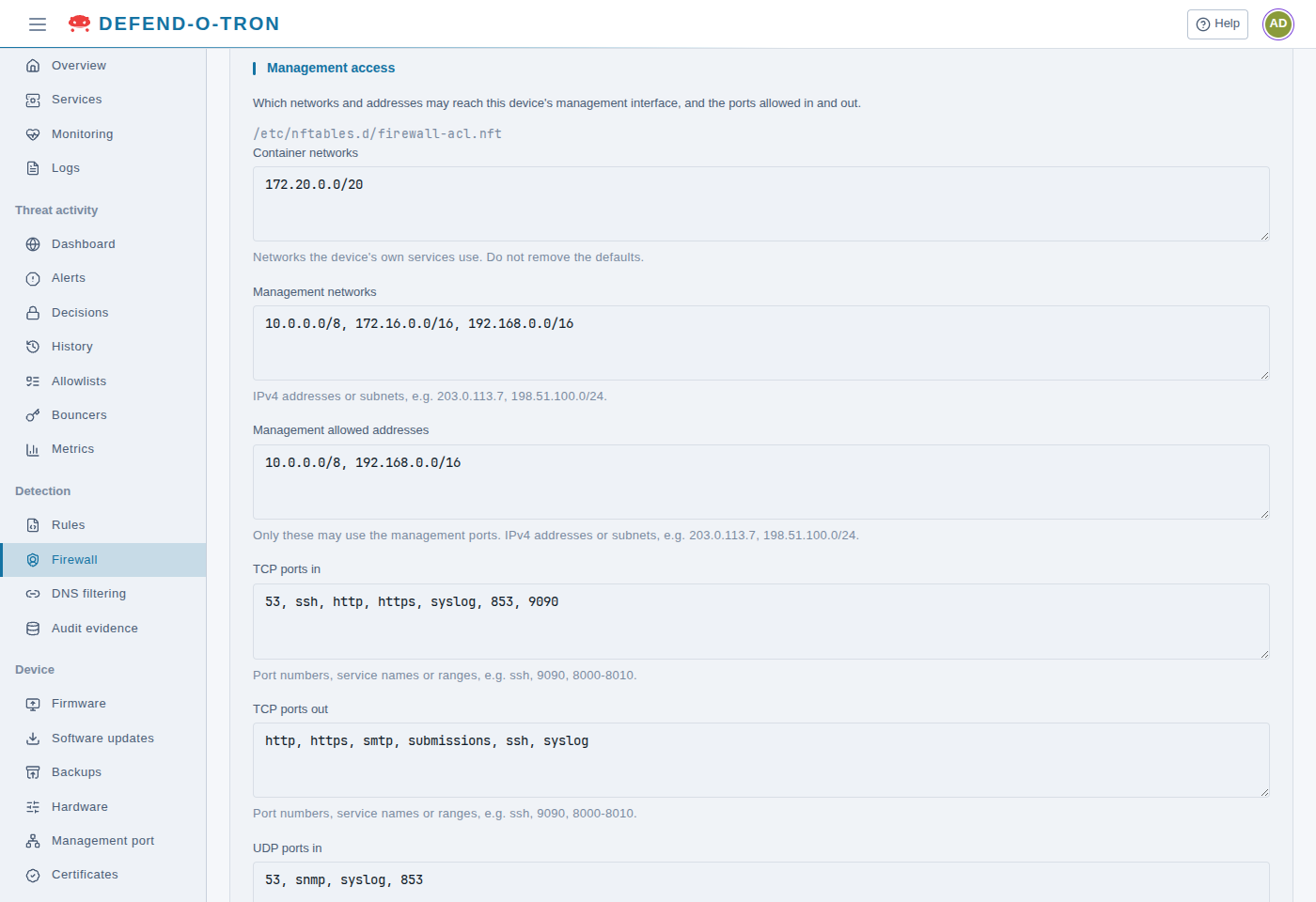
Who may reach the device’s management port, and the ports the management port may use:
| Field | What it is |
|---|---|
| Container networks | The networks the device’s own services use (172.20.0.0/20). Do not change them, and don’t use this range for your network |
| Management networks | The networks management connections may come from |
| Management allowed addresses | The addresses allowed to use the management ports. By default 10.0.0.0/8 and 192.168.0.0/16 |
| TCP ports in, UDP ports in | The ports on the management port that answer: by default DNS (53), SSH, HTTP, HTTPS, syslog, DNS over TLS or QUIC (853) and the web interface (9090), plus SNMP over UDP |
| TCP ports out, UDP ports out | The ports the device may connect out on. See Outbound Connectivity |
A computer must be in both Management networks and Management allowed addresses to manage the device. To add your own network, add only the subnet you use, for example 172.16.10.0/24. See Which networks can manage the device.
¶ Honeypot ports
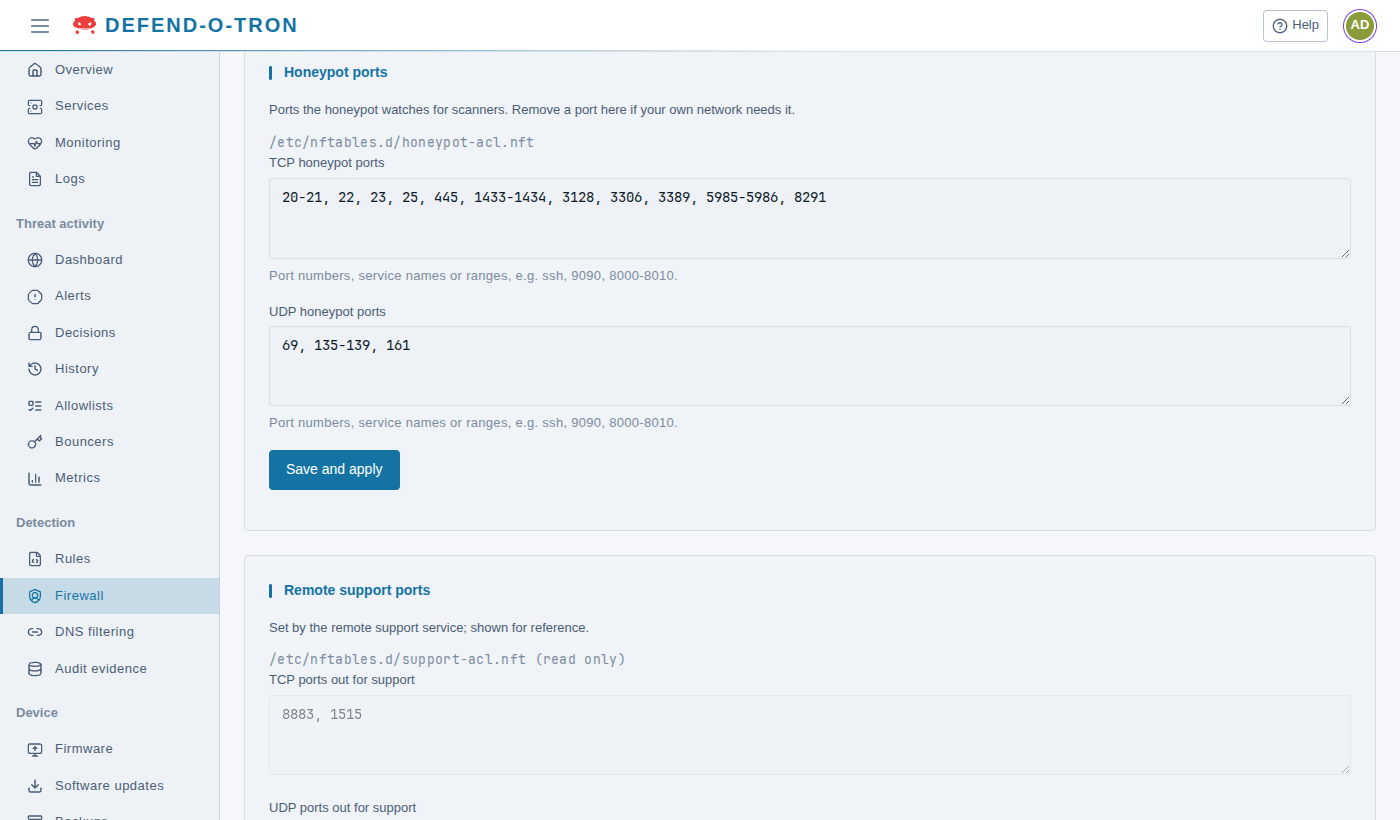
The TCP and UDP ports the honeypot watches for scanners. Nothing on your network should be answering on them from the internet.
Remove a port here if you forward it to your network. Otherwise the first visitor to that service is reported and banned. See Honeypot.
¶ Remote support ports
The ports the remote support tunnel and chat may use to connect out: TCP 8883 and 1515, and UDP 60 to 62. The remote support service sets them, so the card is read-only.
The lists are files in
/etc/nftables.d/on the device. Change them on this page: it checks each change before applying it. Edit the files by hand only if you know nftables. See Honeypot Internals.
¶ Reload the firewall
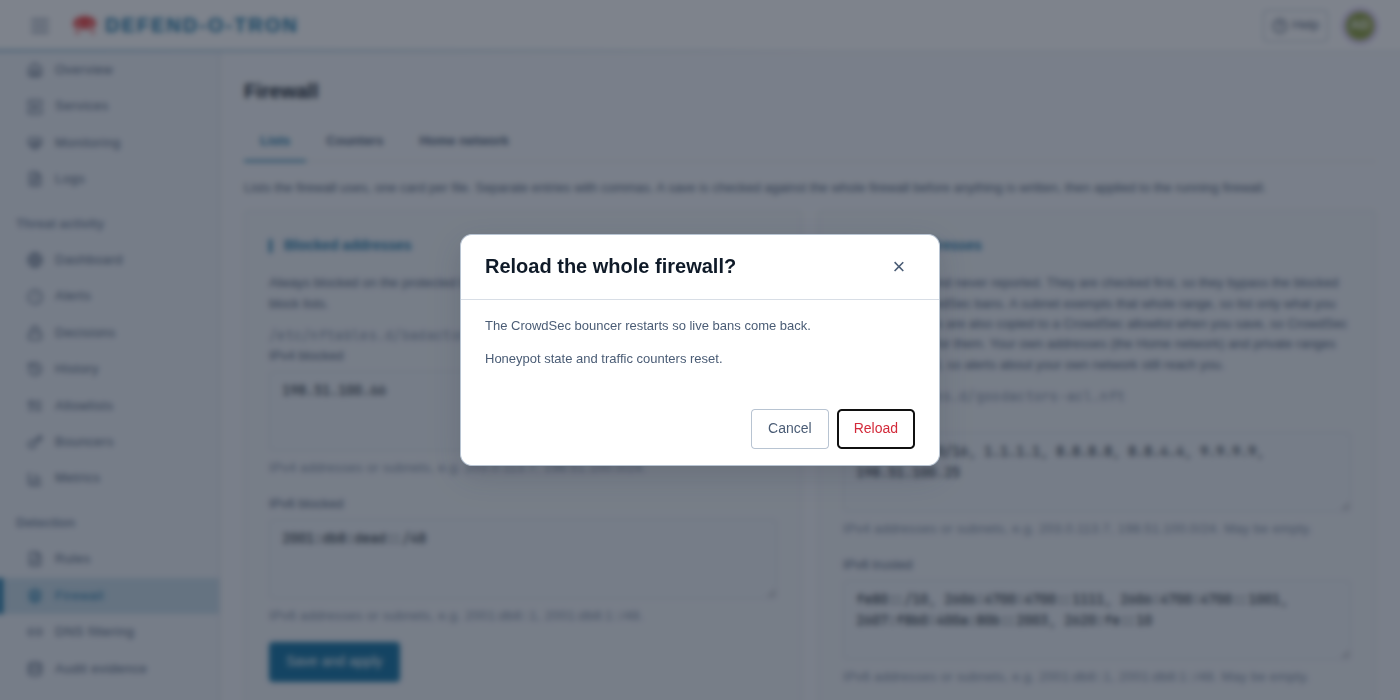
Reload firewall, at the bottom of the Lists tab, loads every firewall rule again from /etc/nftables.conf. Use it after someone edited the files by hand, or when a save says a reload is needed. You don’t need it after an ordinary save.
A reload asks you to confirm, because:
- the CrowdSec bouncer restarts, so the live bans come back after a moment
- the honeypot’s rate limits start again, and every traffic counter goes back to zero
When it is done, the page says Firewall reloaded; the CrowdSec bouncer is running and live bans are back. If the bouncer did not start, the page says so in red: the ban lists stay empty until it starts. Check that CrowdSec is running on Services, then restart the bouncer from the terminal with sudo systemctl restart crowdsec-firewall-bouncer.
¶ Counters
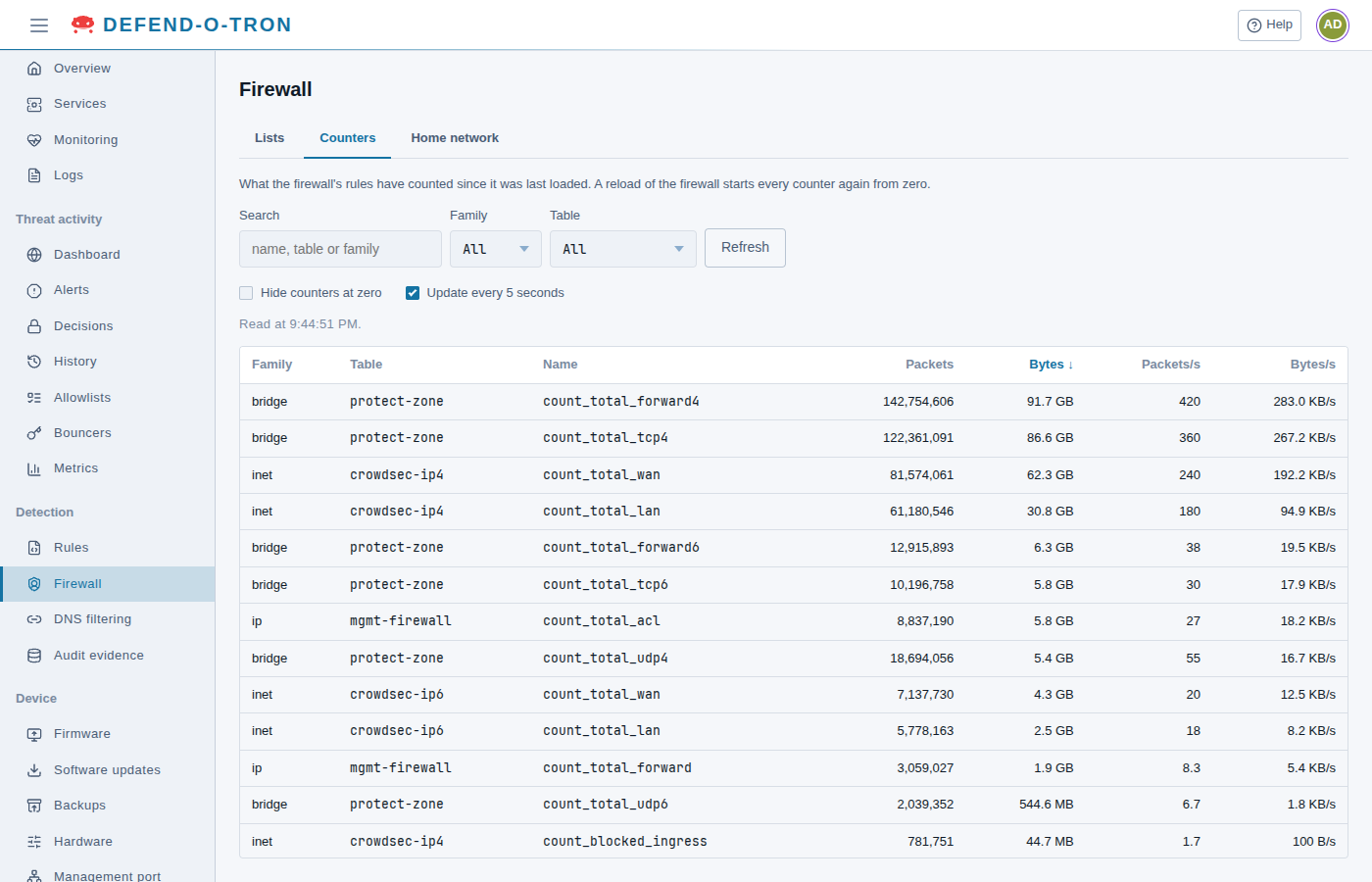
What the firewall’s rules have counted since the firewall was last loaded: packets and bytes, and, after a second read, the packets and bytes per second.
- Search, Family and Table narrow the list. Select a column heading to sort by it.
- Hide counters at zero leaves out the counters that counted nothing.
- Update every 5 seconds keeps the figures and rates up to date. Refresh reads them once.
The counters worth knowing:
| Counter | Table | What it counts |
|---|---|---|
count_total_wan, count_total_lan |
crowdsec-ip4, crowdsec-ip6 |
Packets arriving from the ISP side, and from your side |
count_blocked_ingress |
crowdsec-ip4, crowdsec-ip6 |
Packets from the internet the firewall dropped: bans, blocked addresses and the honeypot |
count_blocked_egress |
crowdsec-ip4, crowdsec-ip6 |
Packets from your network the firewall dropped on their way out |
count_total_forward4, count_total_forward6 and the per-protocol counters |
protect-zone |
Packets passed through the bridge |
count_total_acl |
mgmt-firewall |
Packets the management port accepted |
count_total_dropped |
mgmt-firewall |
Management connections refused, because they came from an address that is not allowed |
A rising count_total_dropped means something on your network tries to reach the management port from an address that is not on the management lists.
¶ Home network
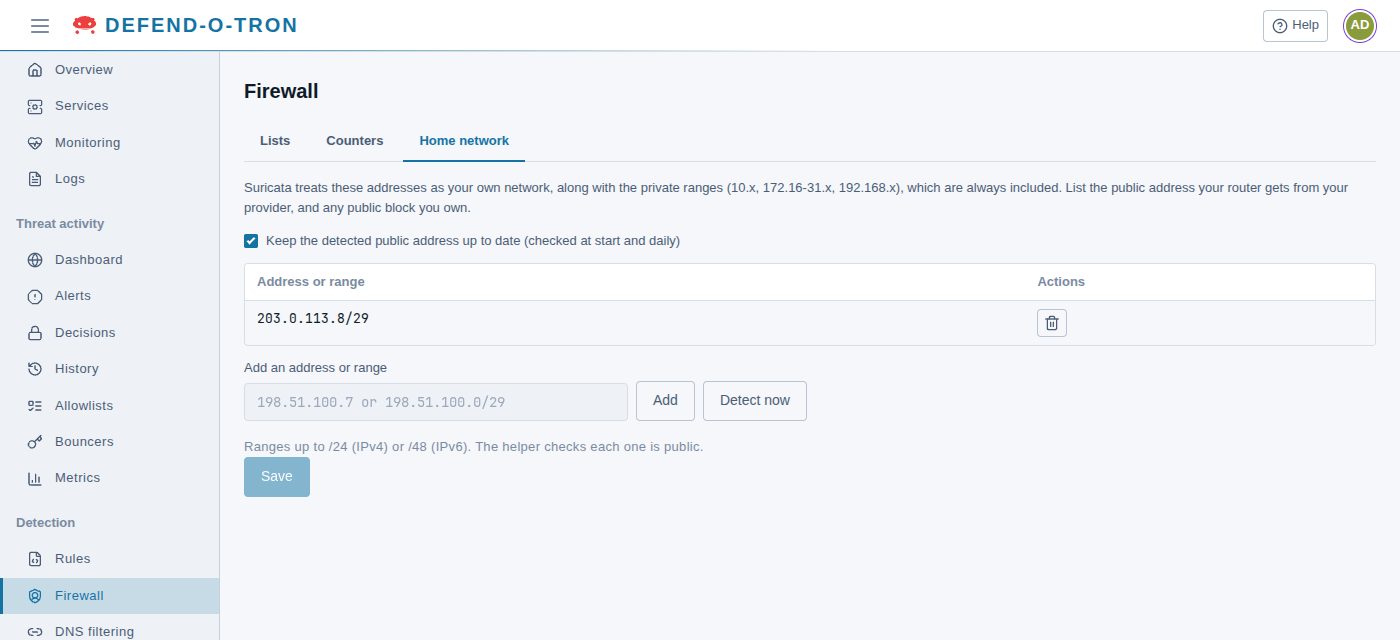
The addresses Suricata treats as your own network ($HOME_NET), on top of the private ranges, which are always included. List the public address your router gets from your ISP, and any public block you own.
- Keep the detected public address up to date finds your public address by itself, when the device starts and every day.
- Add an address or range adds one, up to a /24 (IPv4) or a /48 (IPv6). It must be a public address. Detect now looks up your public address again.
- Click Save. Suricata restarts to use the change.
It is the same as the Home network step of the Setup wizard. See $HOME_NET and $EXTERNAL_NET for how rules use it.
¶ Related
- Honeypot: what the honeypot catches, and the trusted list.
- Decisions: CrowdSec’s bans, and handling false positives.
- Requirements: which networks can manage the device, and the outbound ports.